Don’t Touch the Mouse. 30 Chrome Shortcuts Every Developer Should Know
Hello, this is devdong. There are people who are obsessed with productivity. They memorize every shortcut and, in extreme cases, try to solve everything without even touching the mouse. (That’s me, by the way…)
Think about it.
If you had known that many of the features you use in Chrome could be handled with a single shortcut key, how much time could you have saved?
I’ve put together all the Chrome shortcuts and tips that I frequently use.
🚫 Don’t Touch the Mouse.

You can solve most situations without touching your mouse more often than you think.
If you’re a developer using Chrome, here are 30 useful shortcuts + handy tips you should know. Just scroll down and take a look. 😉
Some very basic Chrome shortcuts and tips are included as well!
Tabs
Switching Tabs
I’m sure no one here doesn’t know tab-switching shortcuts, but since they’re used the moooost, I’m introducing them first! They’re used extremely often!
On macOS
| Shortcut | Function |
|---|---|
Ctrl(Cmd) + Alt(Option) + ➡️ (Arrow key) |
Move right |
Ctrl(Cmd) + Alt(Option) + ⬅️ (Arrow key) |
Move left |
On Windows
| Shortcut | Function |
|---|---|
Ctrl(Cmd) + Tab |
Move right |
Ctrl(Cmd) + Shift + Tab |
Move left |
Jump Directly to a Specific Tab
| Shortcut | Function |
|---|---|
⭐️ Ctrl(Cmd) + 1 … 8 |
Jump directly to tab 1 through 8 |
Ctrl(Cmd) + 9 |
Move to the last tab |
Opening and Closing Tabs
| Shortcut | Function |
|---|---|
Ctrl(Cmd) + w |
Close current tab |
Ctrl(Cmd) + t |
Open new tab |
⭐️ Ctrl(Cmd) + Shift + t |
Reopen the last closed tab |
⭐️ Ctrl(Cmd) + n |
Open new window |
⭐️ Ctrl(Cmd) + shift + n |
Open new Incognito window (used especially often during development!) |
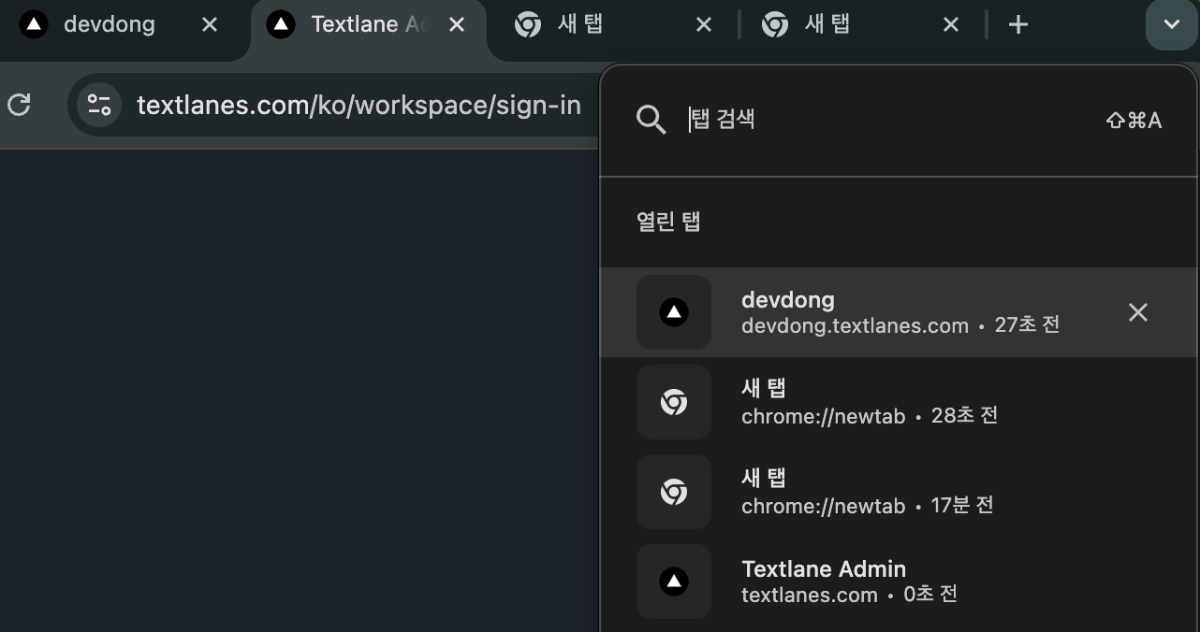
⭐️ Search All Tabs
| Shortcut | Function |
|---|---|
⭐️ Ctrl(Cmd) + shift + a |
Search through all currently open tabs |
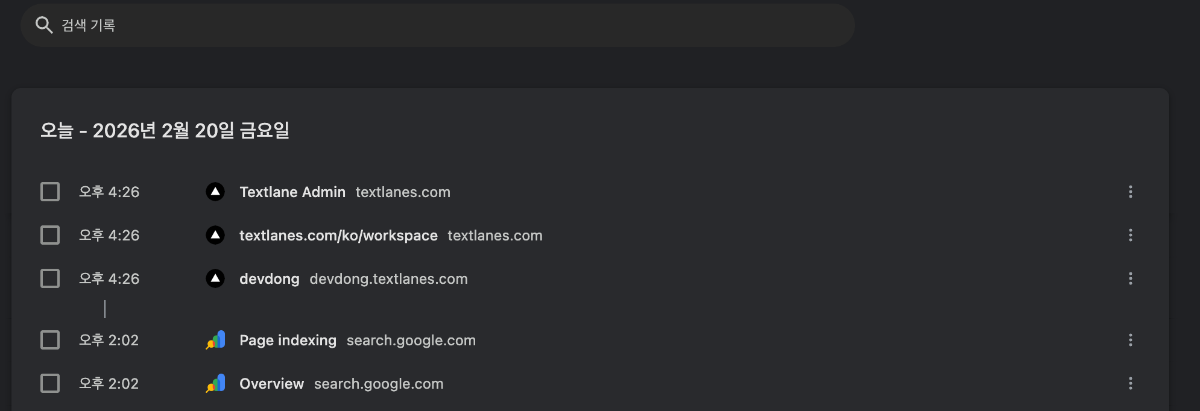
Open History Tab
| Shortcut | Function |
|---|---|
⭐️ Ctrl(Cmd) + y |
Open browsing history |
This is extremely useful when you’re trying to find a page you visited earlier!
Page Navigation
What can I say… This is very basic, but I’ll include it anyway. You absolutely need to know this.
| Shortcut | Function |
|---|---|
Ctrl(Cmd) + [ |
Go back |
Ctrl(Cmd) + ] |
Go forward |
Alt + ⬅️ (Windows) |
Go back |
Cmd + ⬅️ |
Go back |
Scrolling
| Shortcut | Function |
|---|---|
Space |
Scroll down |
Shift + Space |
Scroll up |
Address Bar
Address Bar Shortcut
| Shortcut | Function |
|---|---|
⭐️ Ctrl(Cmd) + l |
Focus the address bar |
Did You Know the Address Bar Can Do This Too?
It Works as a Calculator
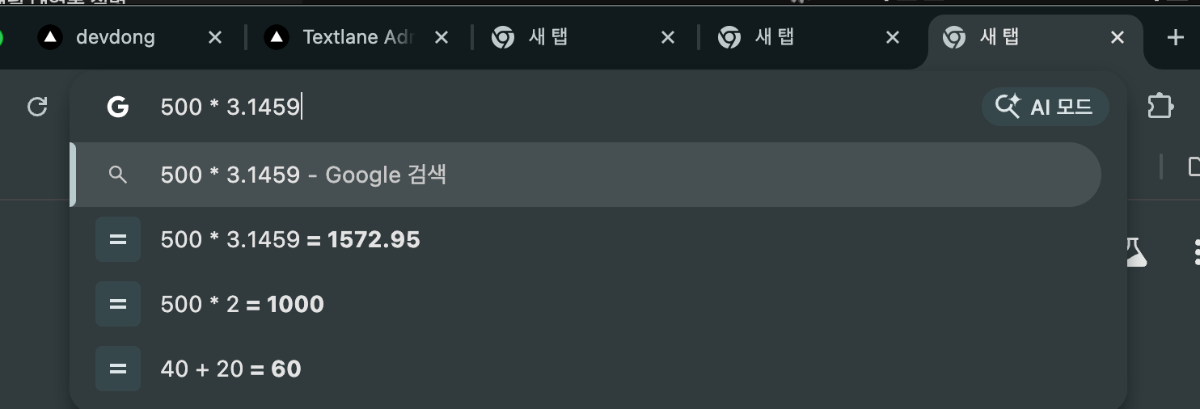
It Converts Units


Try Typing @ in the Address Bar
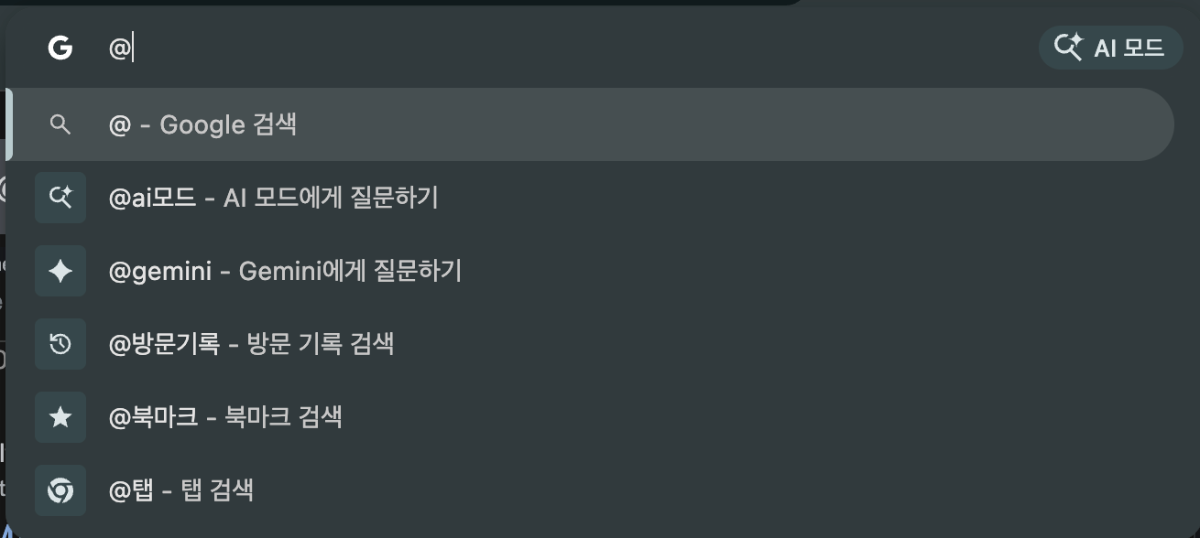
Among these, especially “@ai mode” lets you ask Gemini directly, making it great as a search alternative. 😉
Useful Shortcuts for Developers
Right-click → Inspect with your mouse? Absolutely forbidden 🚫🚫🚫
| Shortcut | Function |
|---|---|
Ctrl(Cmd) + Option(Alt) + I |
Open DevTools |
Ctrl(Cmd) + Shift + C |
Element selection mode |
⭐️ Ctrl(Cmd) + Shift + R |
Hard refresh (ignore cache) |
Hmm… Now that I’ve written this, I’m worried it might feel boring since everyone probably already knows these.
But I guess it could still be helpful for non-CS background developers… Anyway, I hope it was useful!
